

Learning habits have changed significantly in recent years. Students, professionals, and online learners are spending more time watching educational videos than reading lengthy documents. Video lessons can explain ideas faster, keep viewers interested longer, and make difficult topics easier to understand.
However, producing quality learning videos often comes with challenges. This is especially for educators and course creators. Recording lessons, editing footage, creating voiceovers, and managing production can require a lot of time and effort.
This is where AI-powered video creation tools are changing the process. Users can transform written content into video lessons within minutes instead of building videos from scratch. One platform helping to make this possible is Vidnoz AI.
Understanding Vidnoz AI and Its Role in Education
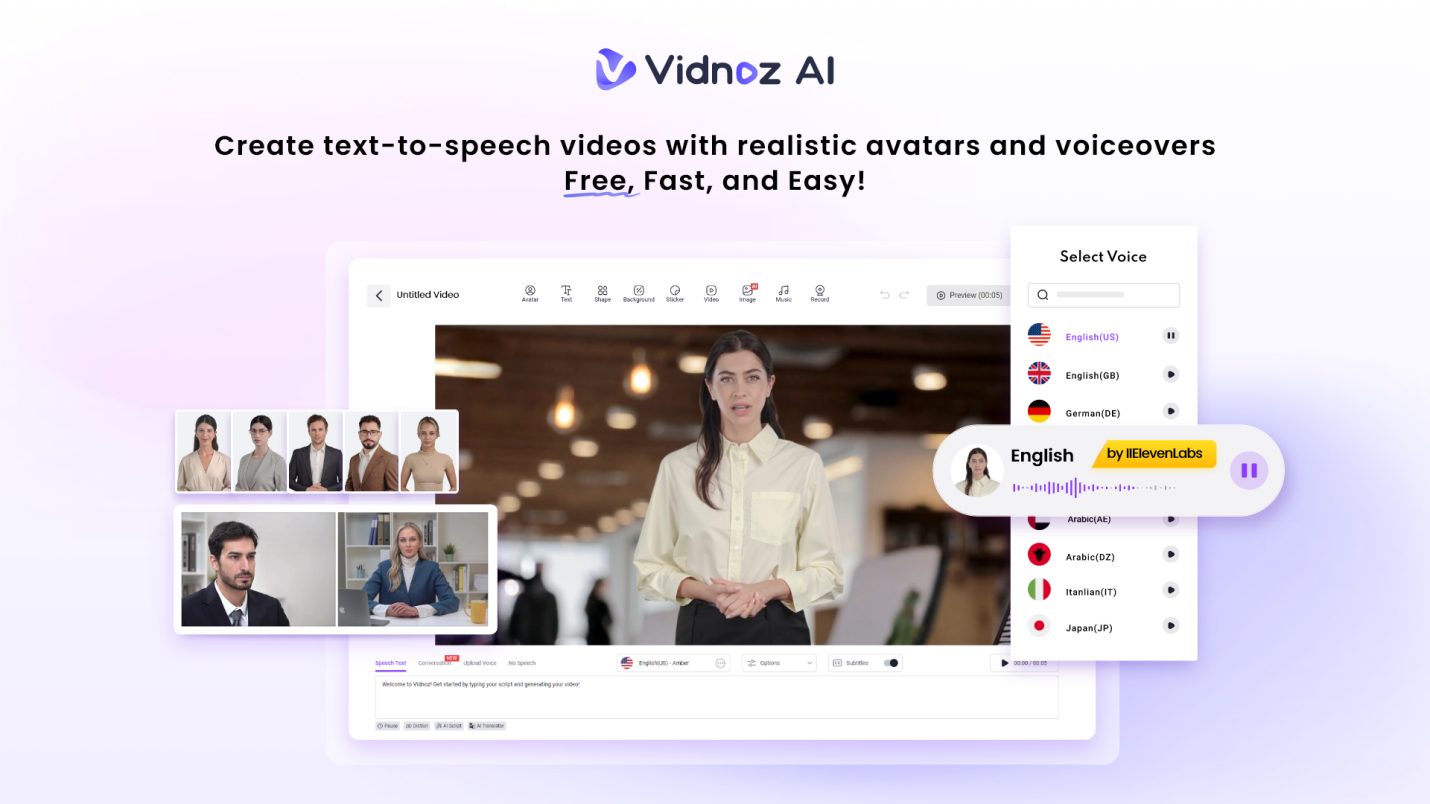
Vidnoz AI is a video generation platform that uses artificial intelligence to convert scripts and written content into professional-looking videos. Moreover, it is worth highlighting one important aspect of the platform.
Vidnoz AI has achieved ISO/IEC 27001:2022 Certification. It means that it follows internationally recognized standards for information security and data protection. This is especially valuable for educators, schools, training organizations, and businesses that work with learning materials and student-related information.
The platform combines AI voices, digital avatars, and ready-made templates to help users create educational content without requiring cameras, recording studios, or advanced editing skills.
Features That Support Learning Video Creation
Let’s explore some of the amazing features of Vidnoz AI here.
A Large Library of AI Voices
Vidnoz AI includes more than 2000+ realistic AI voices that can convert written lessons into spoken narration. These voices support multiple languages, accents, and speaking styles. For educators creating content for different audiences, this flexibility makes it easier to deliver lessons in a format learners can understand.
The final video feels more natural and engaging. This is because the voices are synchronized with avatar speech.
Ready-Made Templates for Educational Content
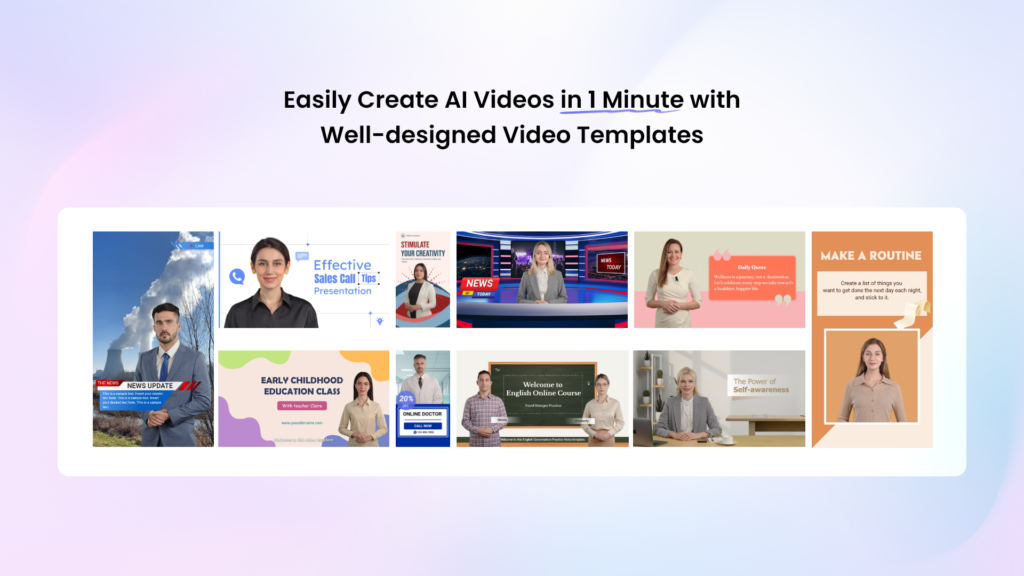
The platform offers over 2800 templates that can be adapted for different learning scenarios. These templates can be used for:
- Online courses
- Employee training
- School lessons
- Tutorial videos
- Product education
- Professional development programs
Users can start with a prepared structure and focus on their content instead of designing every lesson manually.
Free Daily Video Creation
Vidnoz AI offers 2 minutes of free video creation every day. It is giving users an opportunity to test the platform before moving to premium plans.
This feature is particularly useful for teachers, trainers, and first-time creators who want to explore AI video generation. They can do so without making an immediate investment.
A Wide Selection of AI Avatars
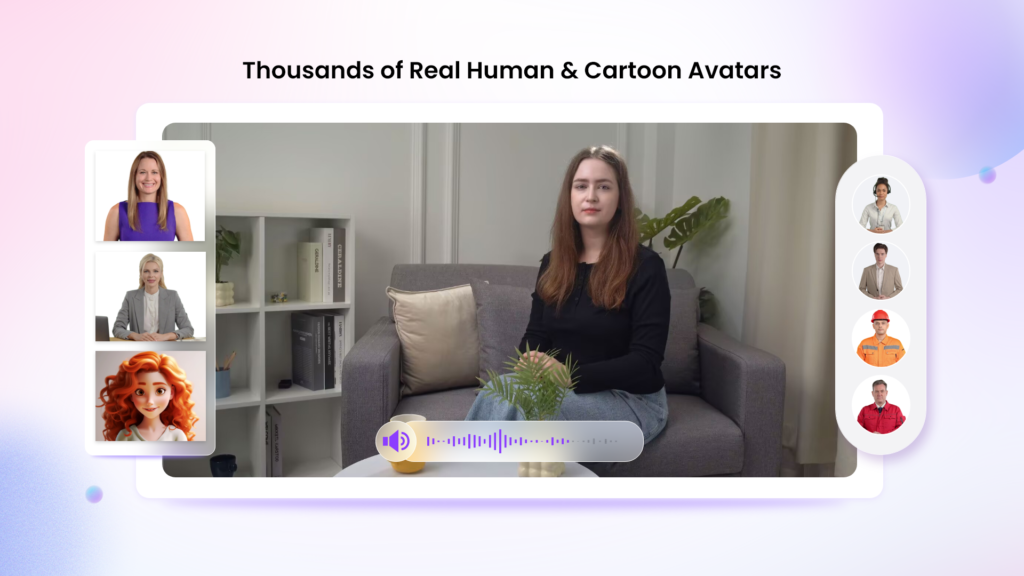
Vidnoz AI currently provides access to more than 1900+ AI avatars representing different professions, age groups, and presentation styles. Users can choose from several avatar options:
- Avatar Lite for quick lesson creation
- Custom Avatar Pro for advanced editing flexibility
- Motion Avatars that include natural body language, gestures, and facial expressions
The platform also allows users to create digital twins that can communicate in more than 40 languages while reflecting their own voice style. Motion Avatars are particularly useful for educational videos because movement and expression often help maintain learner attention.
Why Text-to-Video Learning Is Becoming Popular?
Traditional written materials still have value, but many learners prefer visual content. Watching a lesson often feels more engaging than reading a long document. Several factors are driving this shift:
- Faster Understanding
Visual explanations can simplify complex concepts. Charts, animations, and spoken guidance often make information easier to process.
- Better Retention
Many learners remember information more effectively when they both see and hear it.
- Greater Accessibility
Video lessons can support learners with different learning preferences and language backgrounds.
- Flexible Learning
Students can watch lessons on their own schedule, pause when needed, and revisit topics whenever necessary.
How Vidnoz AI Converts Text into Learning Videos?
The process begins with a script or written lesson. Users simply enter their text into the platform and select the visual and audio elements they want to use. Vidnoz AI then combines:
- The written script
- AI-generated narration
- An avatar presenter
- Visual layouts and templates
The result is a finished video lesson that requires far less effort than traditional production methods.
How to Create Educational Videos with Vidnoz AI?
Here are key steps you need to follow to create educational videos with Vidnoz AI:
Create an Account and Explore Available Tools
Start by registering for a Vidnoz AI account. Once inside the platform, review the available templates, avatars, voice options, and editing tools. This helps you to become familiar with the resources available for educational content.
Select a Suitable Learning Template
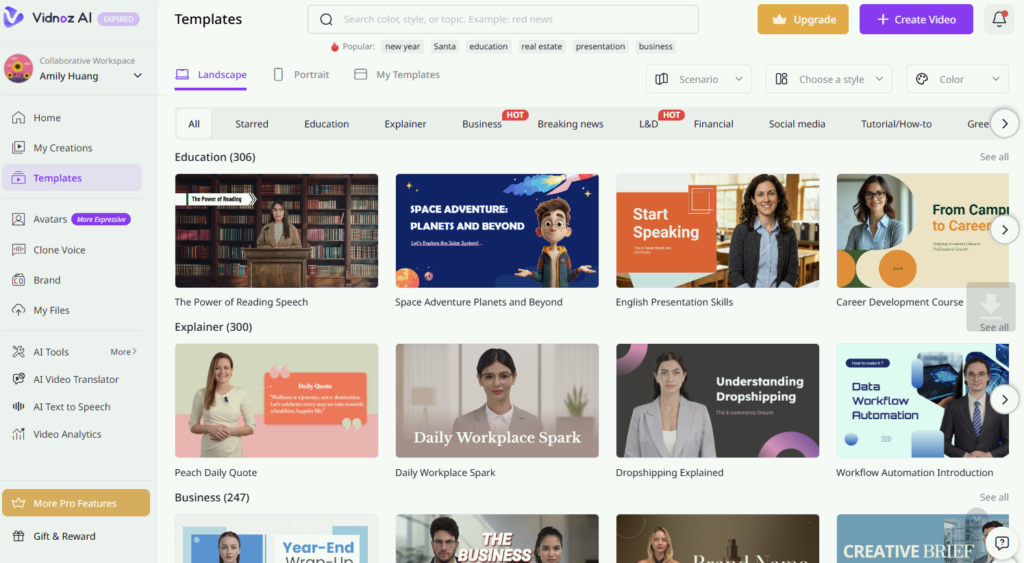
Choose a template designed for tutorials, presentations, or training sessions. Selecting an educational layout helps create a structure that supports learner understanding. It will also be keeping information organized and easy to follow.
Paste Your Written Content
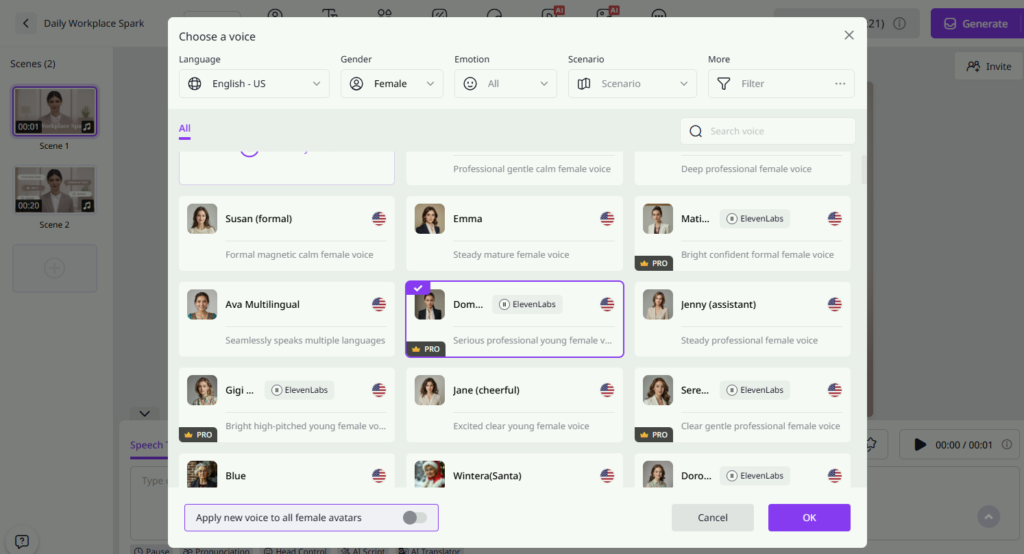
Add your lesson text, training material, or educational script into the editor. Then choose an AI voice that matches the tone and audience of your content. You can do so while adjusting language and speech settings as needed.
Customize the Learning Experience
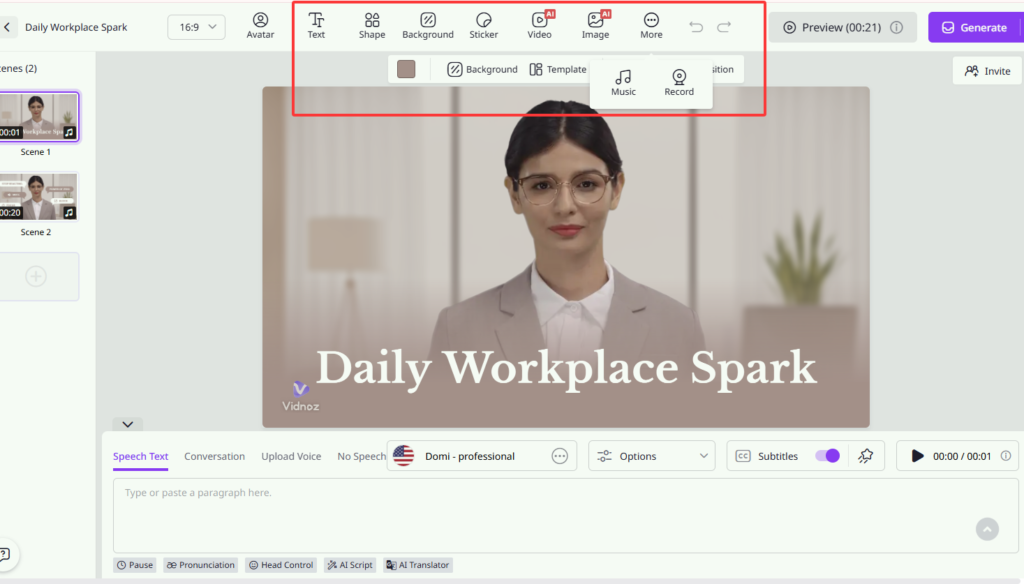
Modify backgrounds, text displays, visual elements, and avatar styles to suit your lesson topic. Users working with Custom Avatar Pro can make additional adjustments. This helps them to create a more distinctive presentation style.
Generate and Publish Your Lesson
Once your content is ready, generate the video using the platform’s AI tools. After reviewing the result, download the lesson and upload it to learning platforms, websites, or internal training systems.
Final Thoughts
So, can Vidnoz AI video generator turn your text into engaging learning videos? For many educators and content creators, the answer is yes. The platform offers a practical way to transform written lessons into video content. Features like Avatar Lite, Custom Avatar Pro, Motion Avatars, and multilingual digital twins provide additional flexibility for different educational needs. Vidnoz AI not only simplifies video creation. It is also supports strong information security practices.
Tools like Vidnoz AI are making it easier than ever to convert ideas, notes, and lesson plans into engaging educational experiences.
