

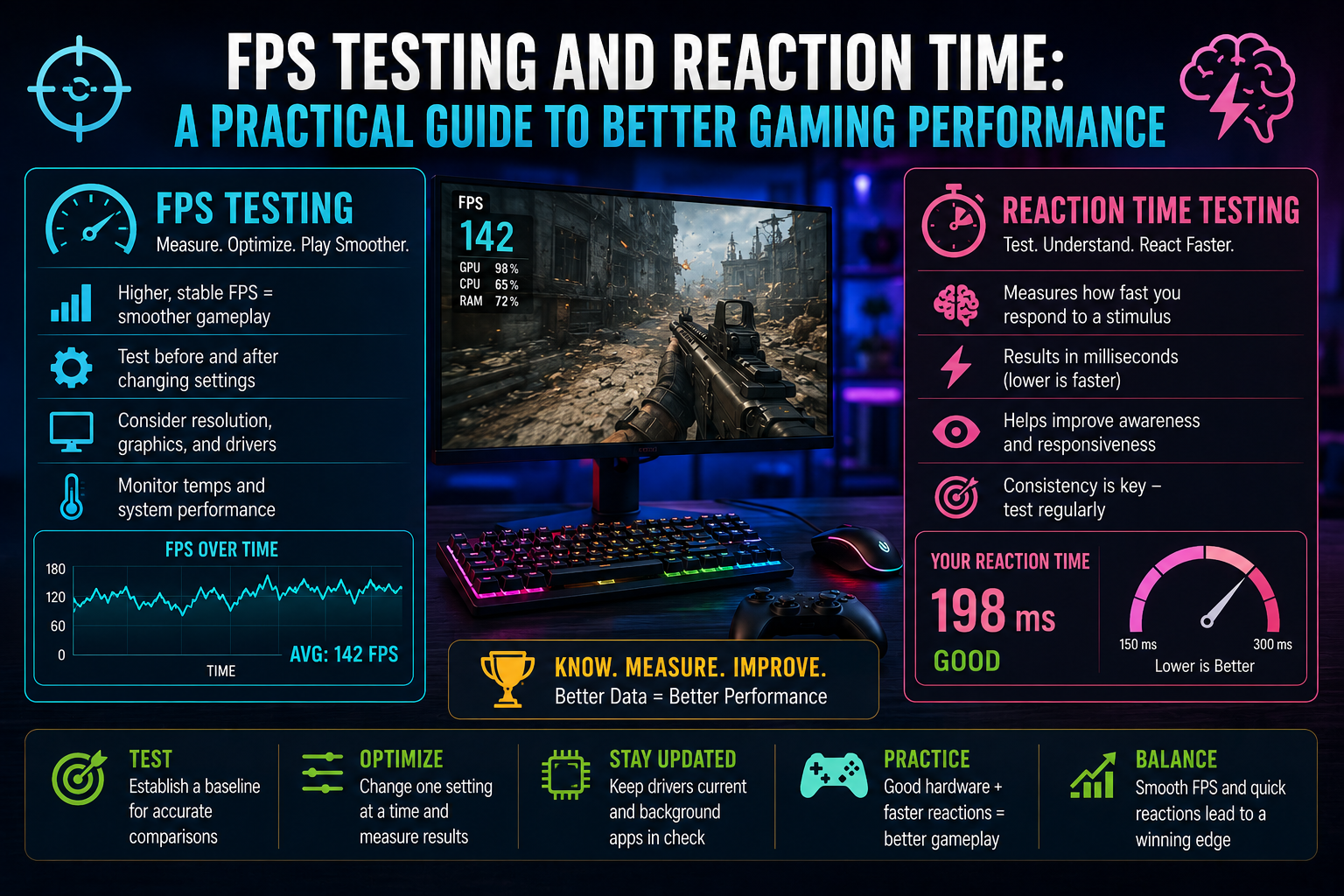
Gaming performance is influenced by more than the specifications printed on a PC’s hardware. A powerful graphics card and processor can provide an excellent foundation, but factors such as frame-rate stability, system responsiveness, display settings, and player reaction speed can also affect the overall experience.
Instead of making changes based on guesswork, gamers can use simple testing methods to understand how their system and their own responsiveness are performing. Two particularly useful measurements are frames per second and reaction time.
What Does FPS Tell You?
FPS, or frames per second, represents how many individual frames a computer can render during gameplay. In general, a higher and more consistent frame rate can make motion appear smoother.
However, average FPS alone doesn’t always describe the complete gaming experience. A game might show a high average while occasionally experiencing significant drops or stuttering.
That’s why an FPS test can be useful when troubleshooting or optimizing a gaming setup. It gives you a way to establish a performance baseline and compare results after changing settings.
For example, you could test your system before adjusting graphics quality, record the result, make one change, and then test again. This makes it easier to determine whether the adjustment actually helped.
Why Stable FPS Matters
Consistency is often just as important as the peak frame rate.
Sudden drops can be noticeable during graphically demanding scenes, large battles, or fast camera movements. Even if the average FPS appears acceptable, inconsistent performance can make gameplay feel less responsive.
Several factors can influence FPS, including:
- Screen resolution
- Graphics quality
- Texture and shadow settings
- CPU and GPU performance
- Background applications
- Temperature and thermal throttling
- Game optimization
- Graphics drivers
Because so many variables can affect frame rate, testing under similar conditions provides more meaningful comparisons.
Don’t Change Everything at Once
One common mistake when optimizing a gaming PC is changing several settings simultaneously.
If you lower the resolution, modify multiple graphics settings, close background applications, and install new drivers at the same time, you may see better performance—but you won’t know which change made the difference.
A more reliable approach is to make one significant change at a time.
Start with a baseline measurement, modify one variable, and test again. Repeat the process until you understand which adjustments have the greatest impact on your particular system.
Consider Your Graphics Settings
Modern games often provide dozens of graphics options. Some have a relatively small effect on performance, while others can significantly increase the workload on your hardware.
Resolution, shadows, reflections, lighting effects, and certain forms of anti-aliasing can all influence frame rate.
Rather than automatically selecting the lowest possible settings, try to find a balance between image quality and performance. A slightly lower setting that produces much more consistent gameplay may be preferable to maximizing every visual option.
Your monitor also matters. If your display has a high refresh rate, maintaining a sufficiently consistent frame rate can help you make better use of that capability.
FPS Isn’t the Same as Responsiveness
It is important to distinguish between computer performance and human reaction speed.
Your PC determines how quickly frames are generated and displayed, while your brain and nervous system determine how quickly you recognize a visual event and respond.
A player can have a fast gaming computer and still have varying reaction times depending on concentration, tiredness, distractions, and other circumstances.
This is where reaction-time testing can provide another useful measurement.
What Is a Reaction Time Test?
A reaction time test measures how quickly you respond to a particular stimulus, such as a visual change.
The result is generally expressed in milliseconds. Lower numbers indicate a faster measured response during that particular test.
However, reaction-time results naturally vary. Your performance can change depending on whether you’re focused, distracted, tired, or simply familiar with the testing process.
For that reason, a single result shouldn’t be treated as a permanent measurement of your ability.
How Reaction Time Relates to Gaming
Reaction speed can be particularly relevant in games that require players to respond quickly to changing situations.
Competitive shooters, racing games, fighting games, rhythm games, and other fast-paced genres can require rapid visual processing and input.
But reaction time is only one part of performance. Game knowledge, positioning, decision-making, accuracy, anticipation, and familiarity with the controls can be equally important.
A reaction-time test is therefore best viewed as a simple way to understand one aspect of responsiveness rather than a complete measure of gaming skill.
Test Under Consistent Conditions
If you’re monitoring your reaction time, consistency is important.
Try to use the same mouse or controller, display, seating position, and general environment when comparing results. Avoid drawing conclusions from one unusually good or poor attempt.
Taking several tests over time can provide a more useful picture of your typical results.
The same principle applies to FPS testing. Use comparable game settings and similar scenarios when measuring changes in performance.
Improve the System Before Chasing Higher Numbers
Performance optimization doesn’t always mean trying to achieve the highest possible FPS.
A better objective is to create a system that feels smooth and predictable.
Start by checking whether your hardware is being used effectively. Review graphics settings, monitor temperatures, background processes, and driver status. If performance problems remain, investigate whether a particular component is limiting the system.
After making an adjustment, test again rather than assuming the change worked.
This measurement-based approach can prevent unnecessary upgrades and help you understand your PC more clearly.
Look at Both Sides of Gaming Performance
FPS and reaction time answer different questions.
An FPS measurement helps you understand how your computer is rendering a game. A reaction-time measurement gives you information about how quickly you respond to a stimulus.
Together, they provide a broader perspective.
If your FPS is unstable, the problem may be related to hardware, software, settings, temperatures, or drivers. If your frame rate is stable but your response results vary, factors such as concentration or fatigue may be more relevant.
Understanding this distinction can make troubleshooting much more effective.
Final Thoughts
Better gaming performance starts with knowing what you’re actually measuring.
Use FPS testing to establish a baseline for graphical performance and compare results after making system changes. Use reaction-time testing to explore your own responsiveness under consistent conditions.
Neither measurement tells the entire story, but both can provide useful information. Combined with sensible graphics settings, properly maintained hardware, and realistic performance expectations, they can help you build a smoother and more informed gaming experience.
